Quick Guide for using Jira Customer Portal
As outlined in your agreement, you have been granted access to our ticketing system, which is powered by Jira Service Management.
How to Access the System
To access the ticketing system, please navigate to https://requests.ibexa.co/ and authenticate using your Ibexa SSO credentials. You can also find corresponding links in your Service Portal view on https://support.ibexa.co.
Submitting a Support Request
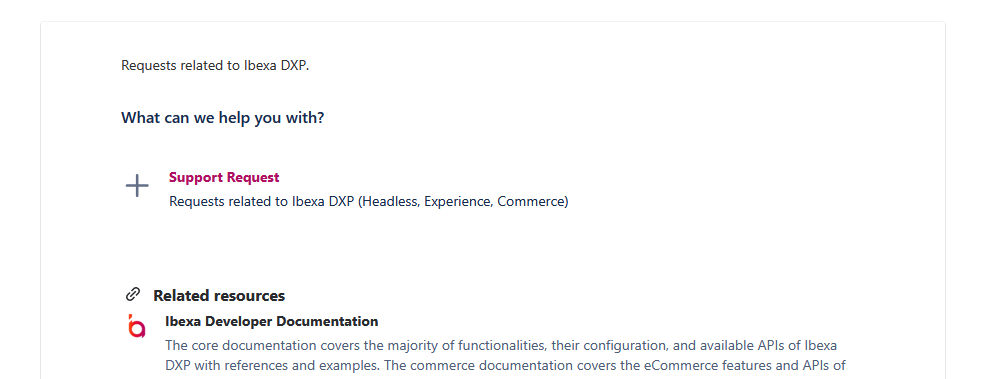
To submit a new ticket to our Product Support team, please follow these steps:
- Click the "Support Request" button
- Complete all required fields in the form
- Ensure you select the appropriate Installation from the dropdown menu
Viewing Your Requests
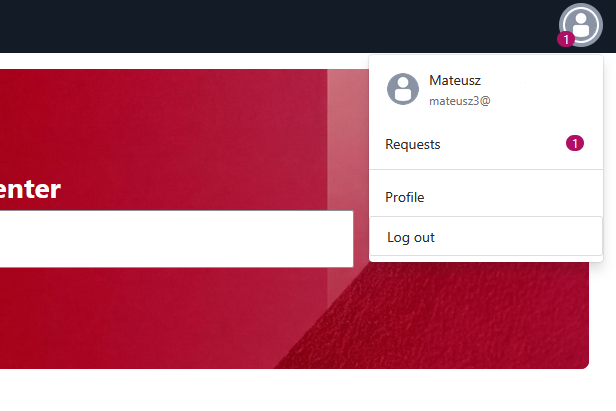
To view your ongoing requests, click on your user icon in the top right corner and select "Requests" from the dropdown menu. This view allows you to apply multiple filters, including the option to display tickets associated with a specific project only.
Sharing Tickets
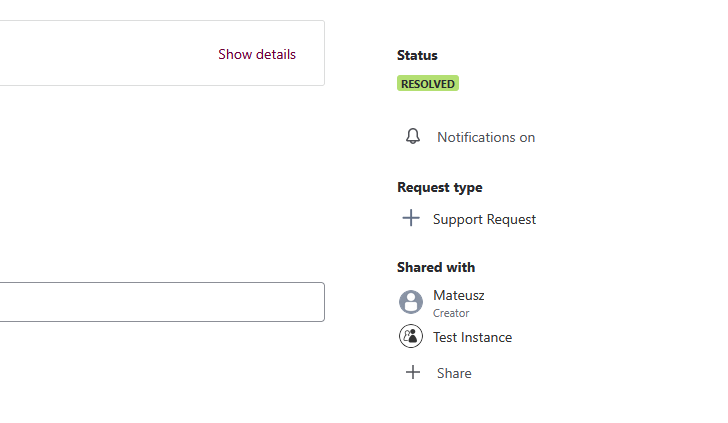
Tickets can be shared with all users who have access to your Service Portal or with specific individuals. To configure sharing settings:
- During ticket creation: Select the appropriate Installation in the "Share with" field
- After ticket creation: Navigate to the ticket view and add users by entering their email addresses
Should you require any assistance with the ticketing system, please do not hesitate to contact us.